
Smarter Sizing, Better Reporting, and Upgraded Handles
If you’re modeling doors and windows all day, the little workflow details add up: sizing, reporting, changing handles. This update makes all of these more consistent, including a size preview that now displays your units of choice (Model Units or WWHH) so you get clearer feedback while you work.
Size doors and windows the way you spec them
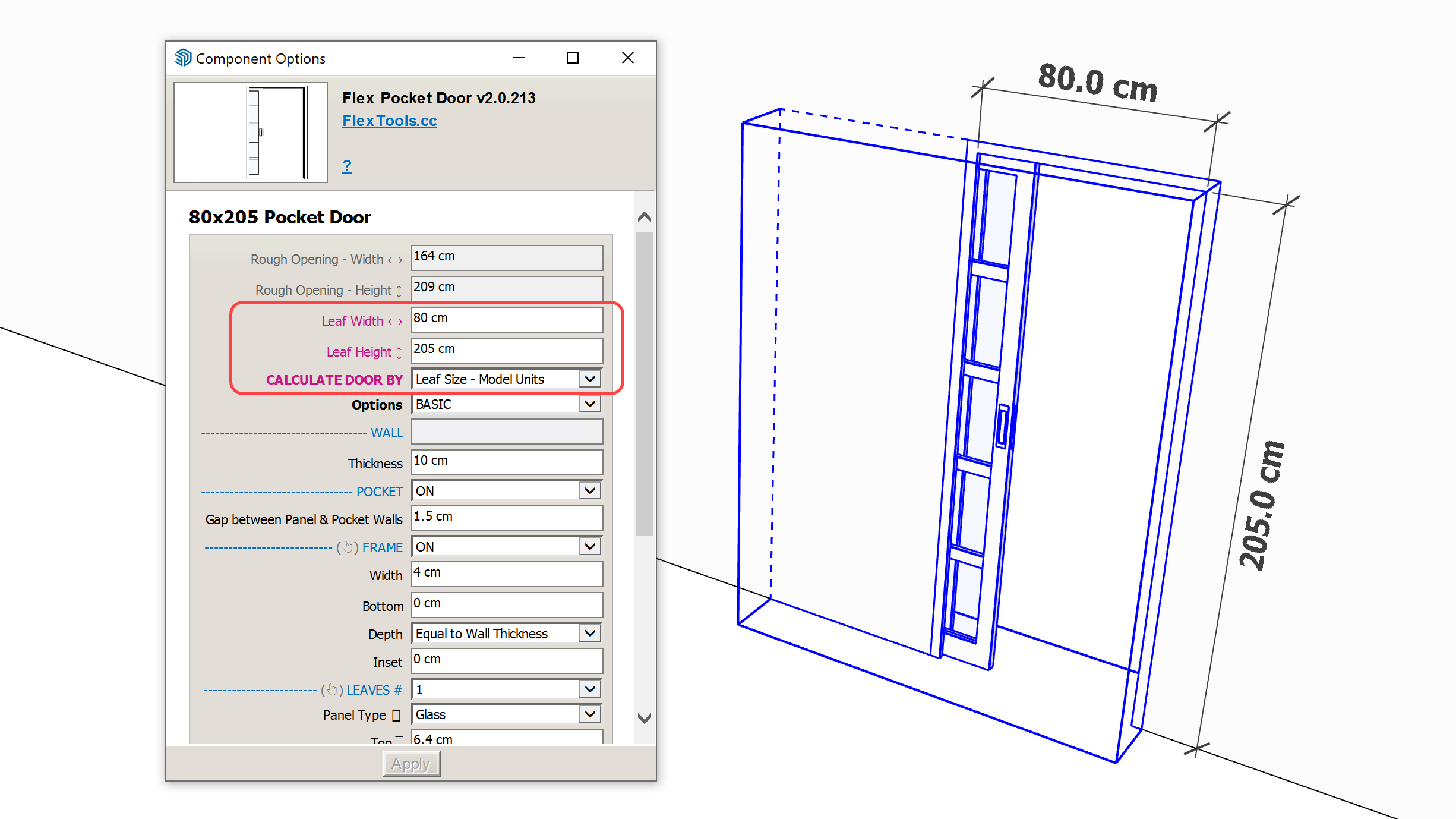
Leaf size calculation for all doors
Every door can now be calculated by Leaf Size using your Model Units or WWHH. This is especially useful for matching schedules and manufacturer specs without back-calculating from rough openings.
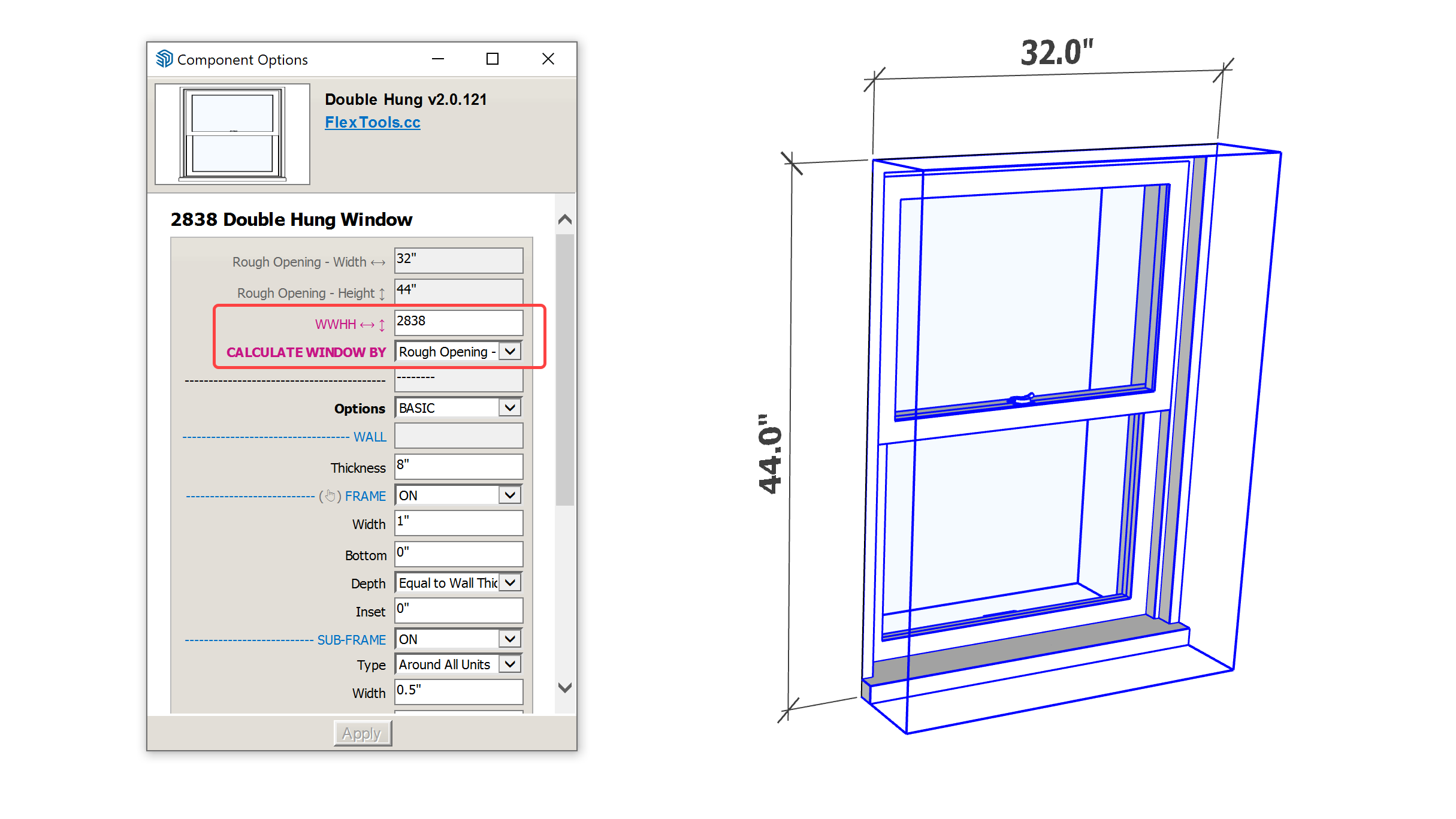
WWHH input across the board
You can now enter WWHH sizing (feet inches x feet inches) for all doors, windows, and slats. It makes it much easier to work in common architectural sizing conventions without extra steps.
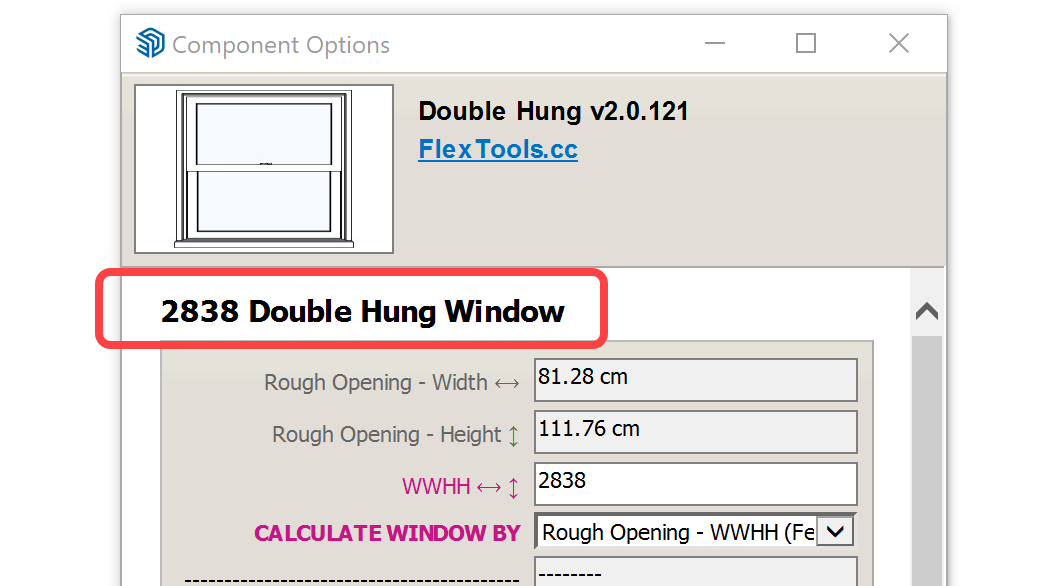
Automatic units display in the options window
The size preview in the options window now automatically follows your Model Units or WWHH, depending on your selected "Calculate By" option. This requires one component refresh to kick in.
If you work in one type of model units but prefer to display the size in another type, you can do that too by choosing the units manually.
Metadata for your door and window schedules
All the doors and windows have metadata like: Size, Leaf Size, Code, Type, that can be exported for generating a report using Sketchup's Generate Report tool:
File > Generate Report
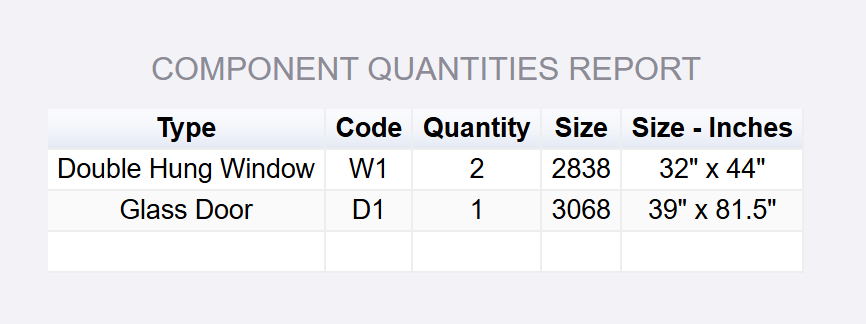
To generate a report like above configure:
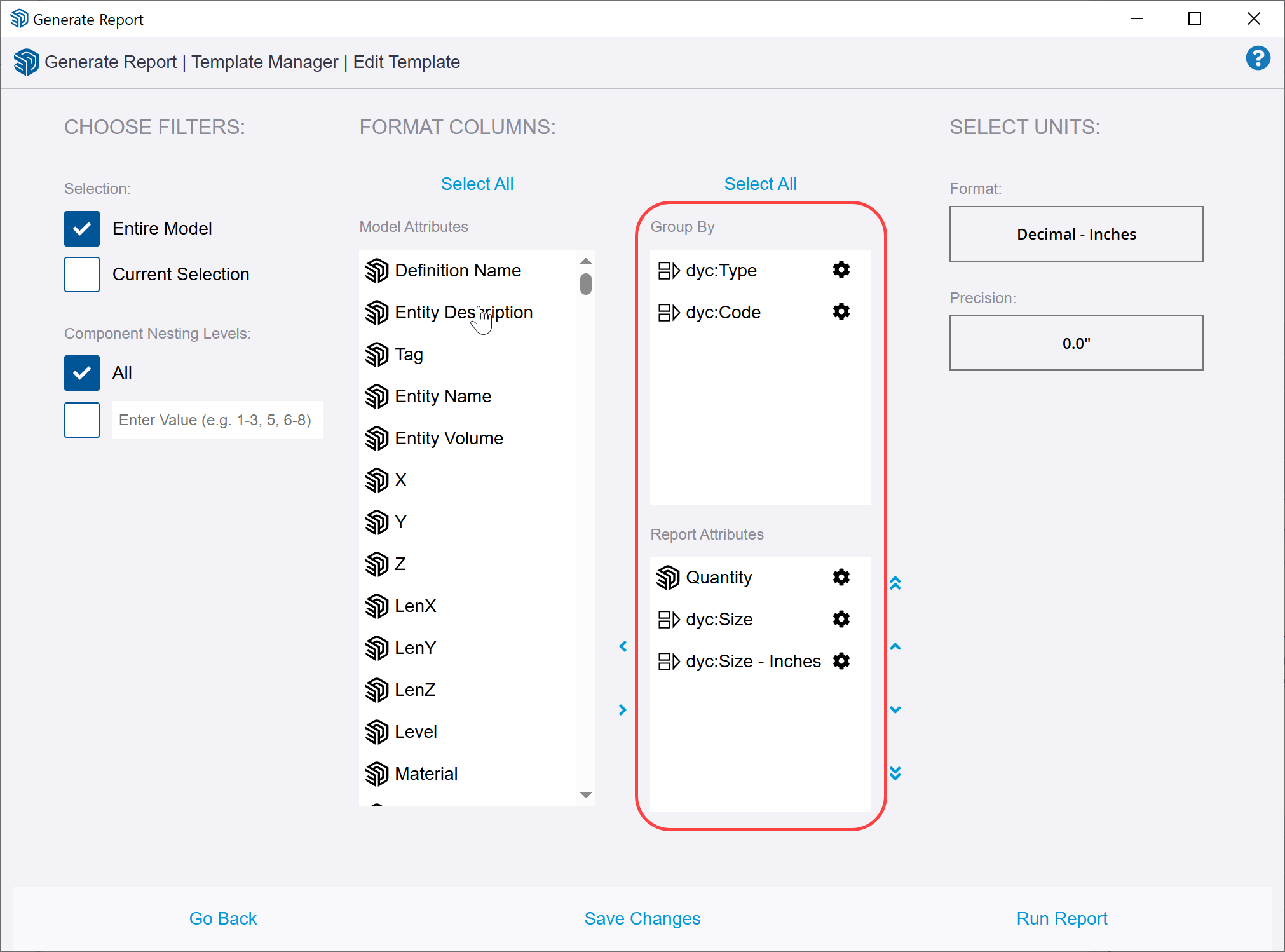
Group By column:
dyc:Type
dyc:Code
Report Attributes columns:
Quantity
dyc:Size
dyc:Size - [Your Units]
It would look like this:
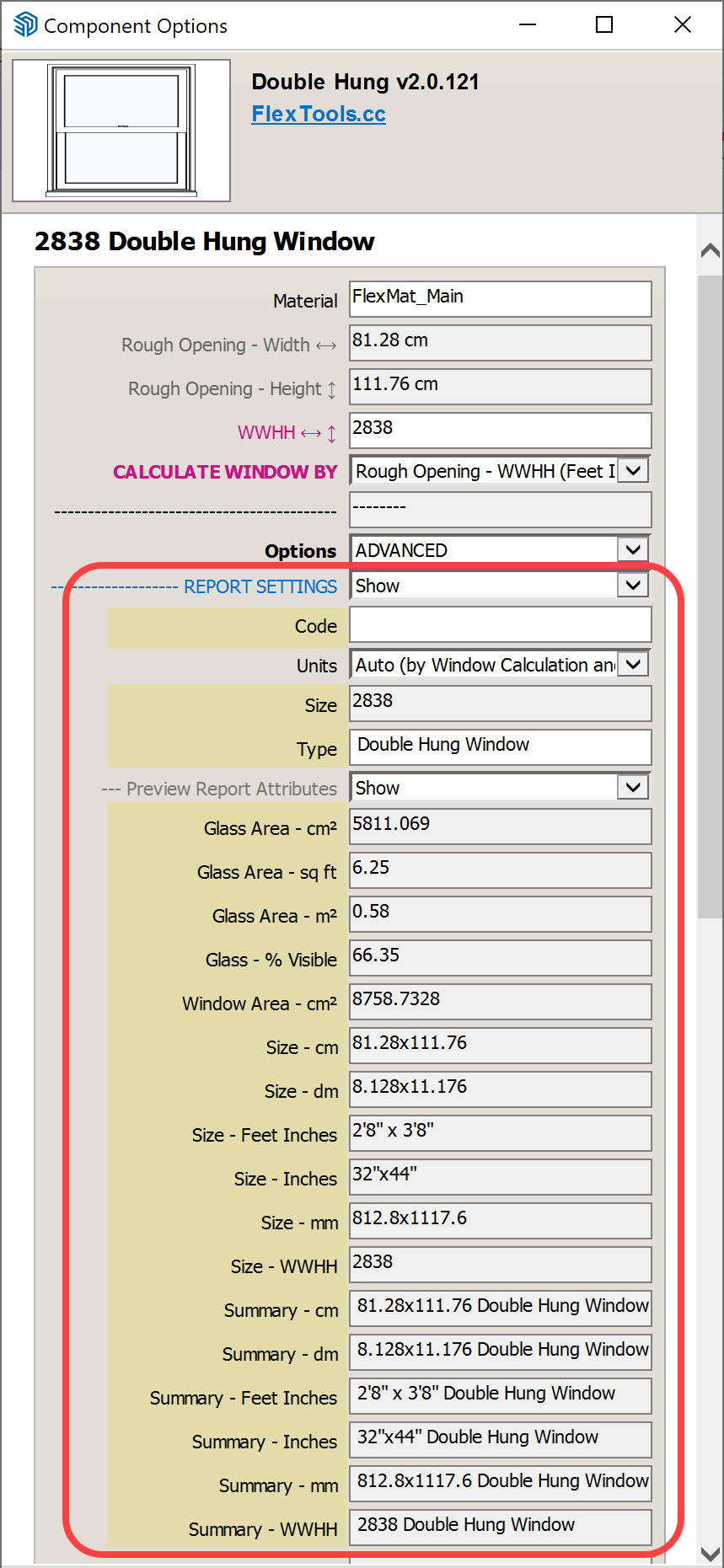
You can always preview the report attributes for a selected door or window right inside the component options.
More construction-ready window controls
Rough opening gaps in windows
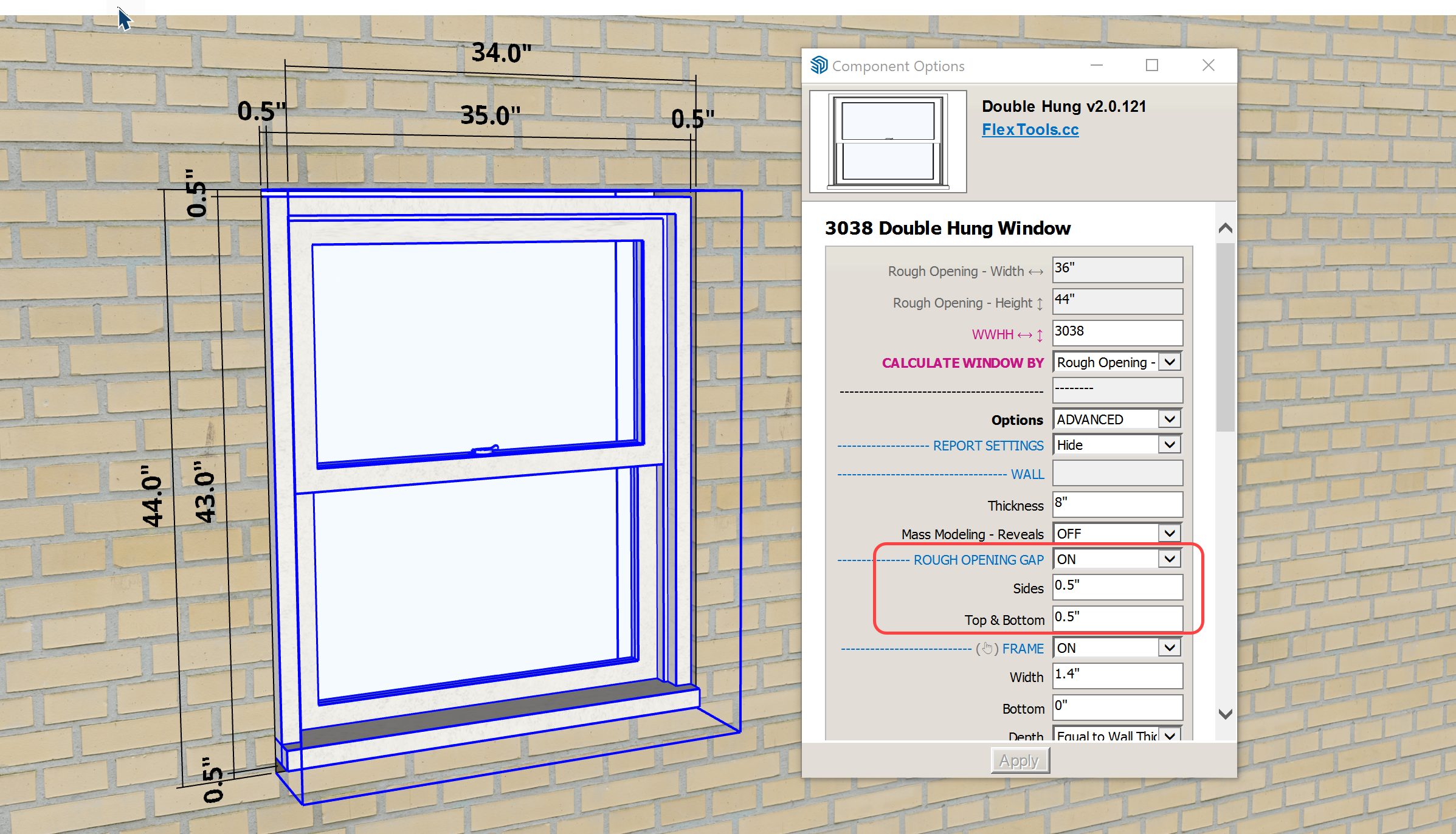
Need to show the “real-world” gap between the frame and the wall opening, aka the shim space or tolerance? You can now display Rough Opening Gaps for all (rectangular) windows and doors.
Glazing reporting for schedules and analysis
All windows now include export metadata for:
- Window Area
- Glass Area
- Glass %
This makes it easier to build schedules or do quick glazing checks without manual area measurements.
The attributes to use in Generate Report:
dyc:a_txt_area_window_[Your Units]
dyc:a_txt_area_glass_[Your Units]
dyc:a_txt_area_glass_visible_percent
Fine-tuning for Pocket doors
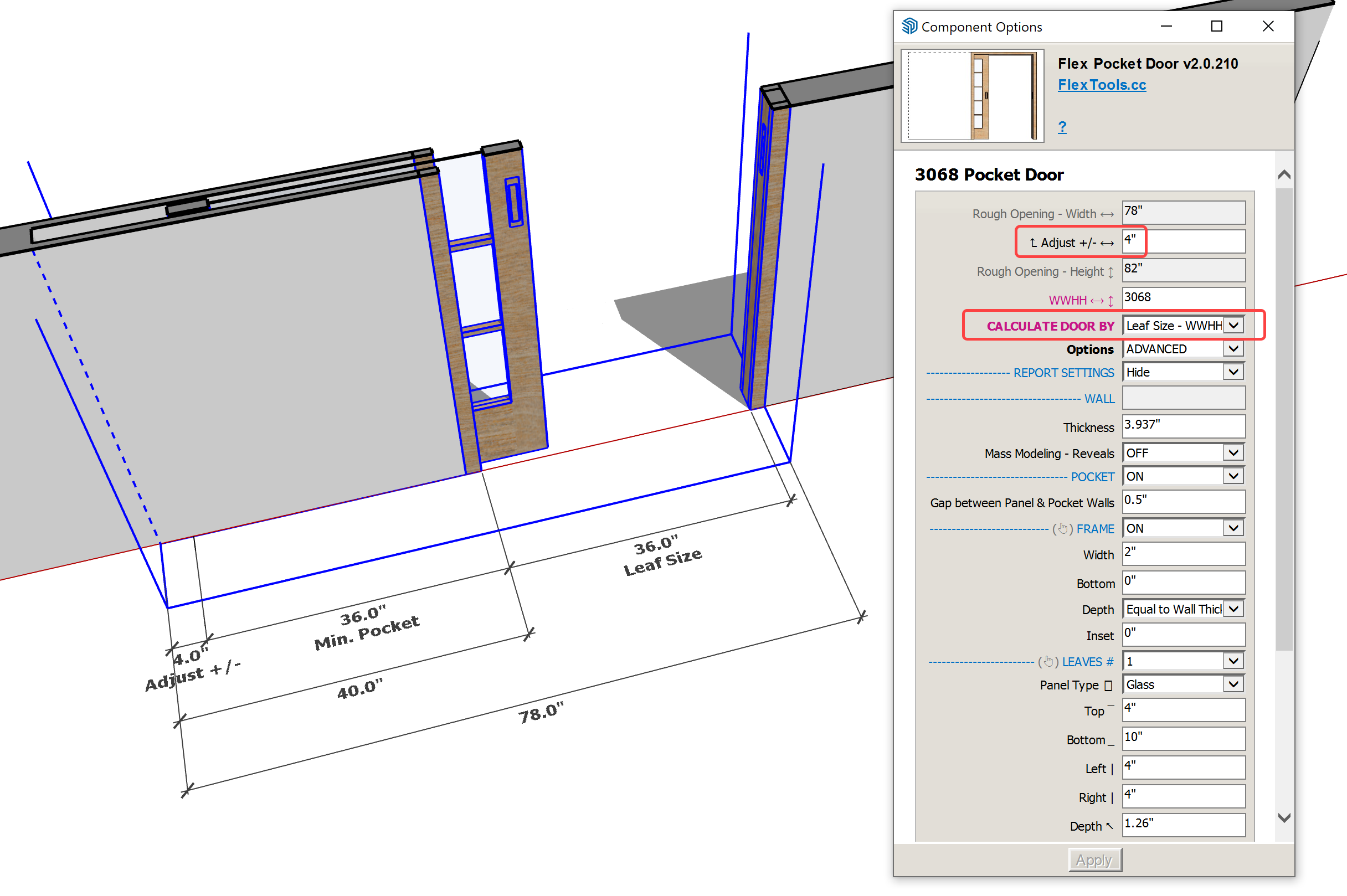
The pocket door got a major upgrade making it easier to match manufacturer specs:
- Calculate by Leaf Size
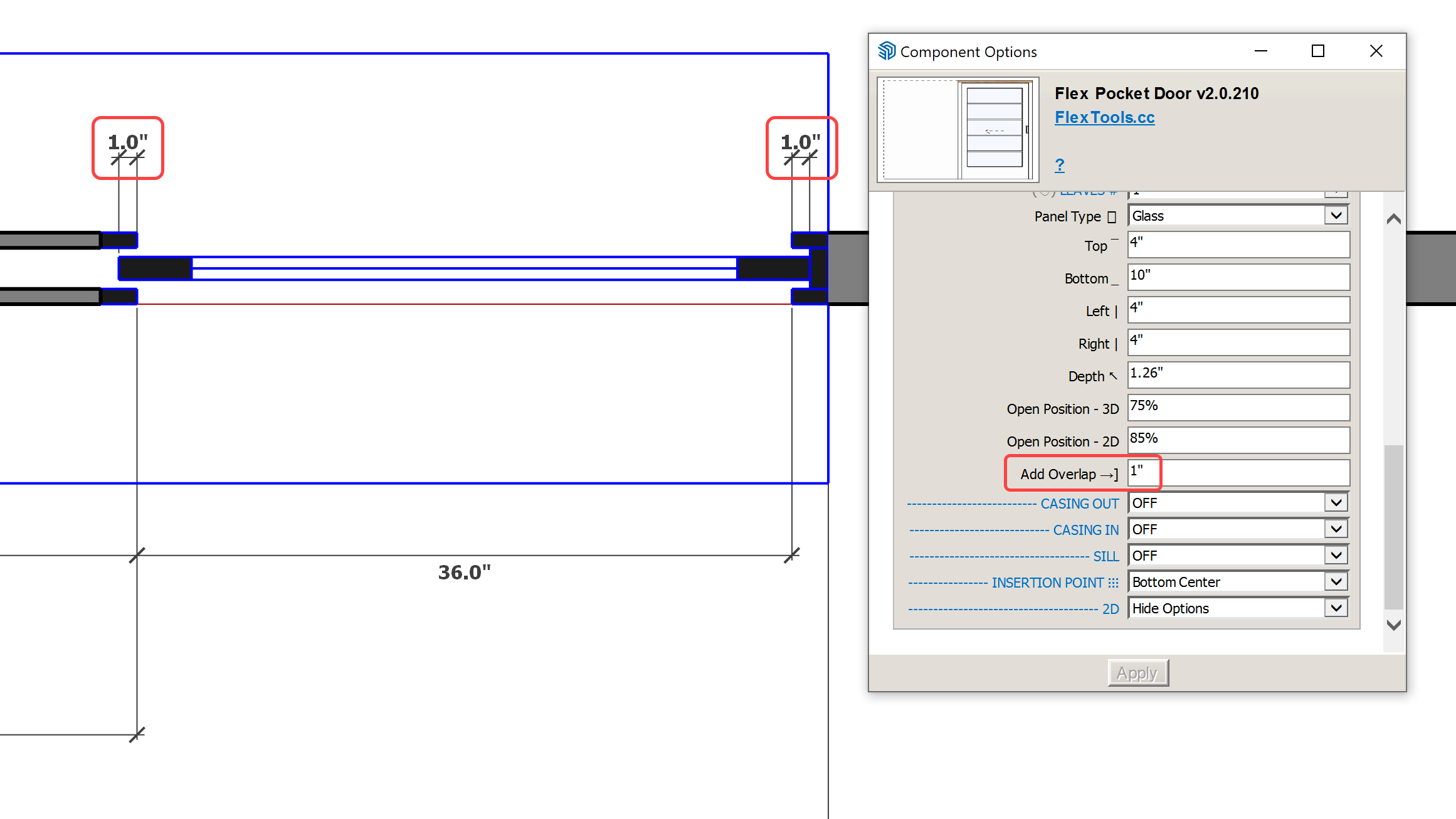
- New Overlap setting to show the leaf “biting” into the opening, extending slightly into the jamb and into the pocket.
- New adjustment parameters for fine-tuning exact sizing of the rough opening OR the leaf size (depends on your chosen calculation method). To fine tune the pocket door turn on Advanced Options and an 'Adjust +/-' setting will appear at the top.
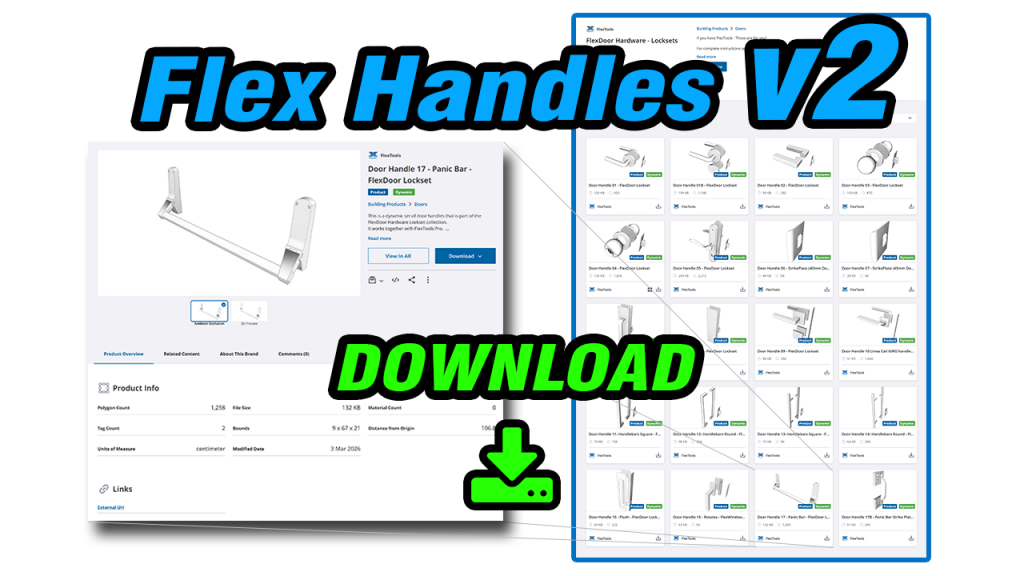
Door & Window Handles v2
The new version of handles standardizes their behavior across all components, so placement feels predictable and effortless:
- Handles now work seamlessly across all supported doors and windows,
- Handles snap into position on placement, no extra click and no manual rotation,
- Directional handles align to the correct side of the door. For example, the New Panic Bar which is push-only and Handle 08 which is pull-only, will always be where they should.
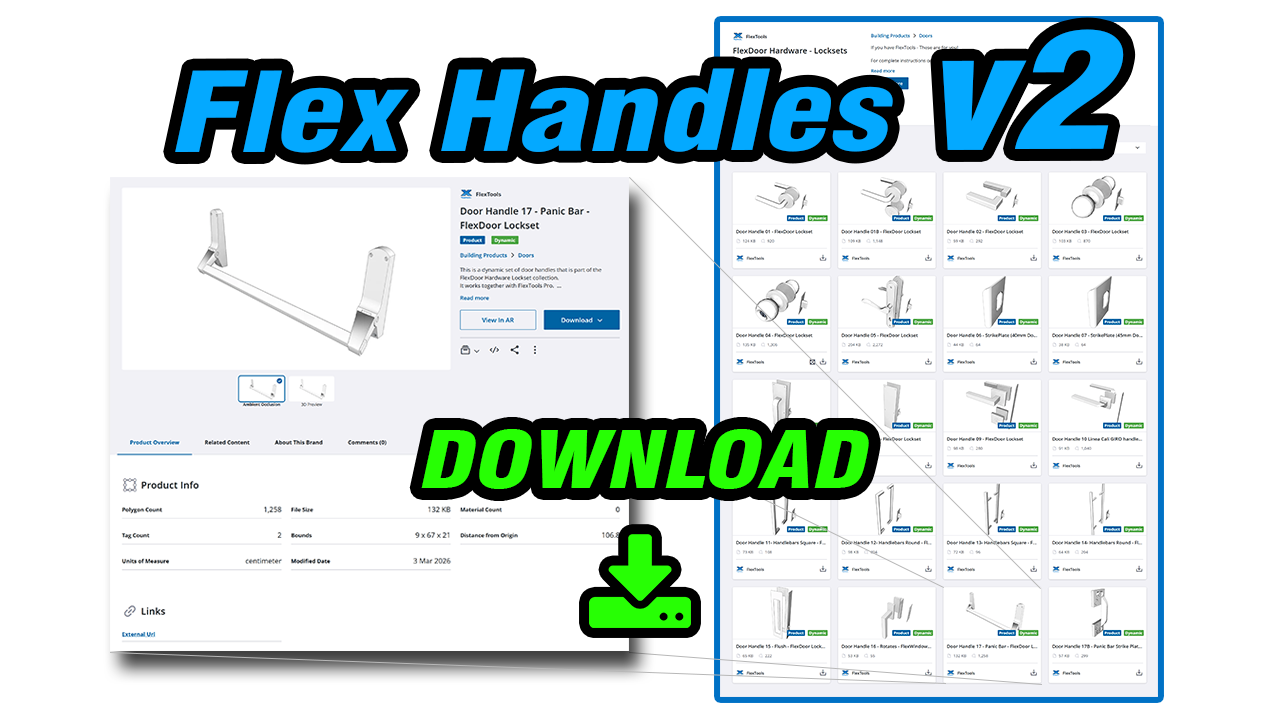
Download the updated FlexTools Handles Collection on 3D Warehouse
More quality-of-life improvements
Depending on what you use most, these may be small wins that add up quickly:
-
New Panic Bar handle,
-
Window spacer material updated to a lighter texture (23Kb) with improved appearance,
-
Slats gained a sub-frame option,
- Frame Bottom moved from Advanced to Basic (default is 0 in most components).
Translations
- Updated French Translations - many thanks to Lionel Duchier-Lapeyre!
See all the new features in the release notes 
Update your FlexTools now and build faster and easier than ever before!